Home > Working with Planning Projects > Building an Application > Building Application Models > Building A Transaction Model > Additional Definition for a List Field
Additional Definition for a List Field
Last Updated 2/28/2012 1:44 AM
Additional Definition for a LIST field
Selecting the LIST data type, will prompt for additional information using a pop-up display. The default is manual input.
Entering values into the list will add to the list of available values that can be selected at data entry time.
For example, if we are building a CAPEX model, we may want to define a category of asset, such as 'Furniture' , 'Computers' or 'Plant and Equipment'. We can enter these values into the list, and force the user to only select one of the specified categories when data is entered.
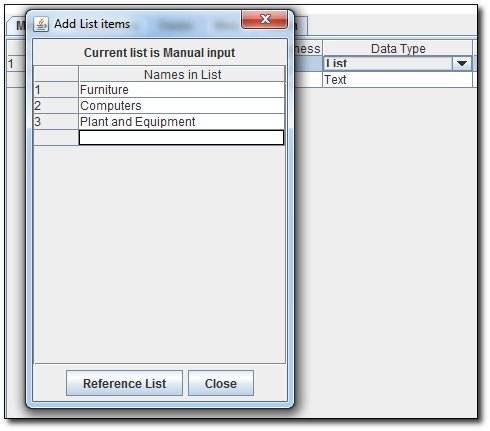
Instead of manually entering a list, we can use a Reference List. This enables us to define a list of acceptable values based on a dimension list contained in another model.
To use a Reference List click on the button labeled REFERENCE LIST.
A prompt will appear, asking you to select the Cube Model you want to use to select the Reference List from
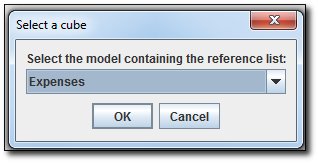
Selecting the Cube Model you wish to use and then click the  button. button.
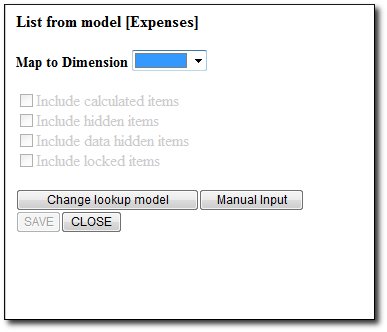
A pop-up will appear allowing you to select the required dimension to use.
By default, only input level members will be included in the list. If you wish to also include consolidated members, then check the box marked 'Include calculated items'.
If you wish to include hidden items or data hidden items or locked items, then check the box for the each option.
See also
| 


 Page URL: