Home > Working with Planning Projects > Project Management > Deployment Alias
Deployment Alias
Last Updated 3/22/2012 6:27 PM
Deployment is used to deploy models to users for data input, view and review (see Deployment and Workflow).
The access rights for each user are defined as Viewer, Reviewer, Approver, Owner, Measure Modeler and Node Modeler. It is possible for a Planning Administrator to provide an alternative alias for these defined access rights. This can be useful in situations where different terms are in use for the access rights provided. For example we may want 'Owner' rights to be shown as 'Update/Edit'.
To define a deployment alias, navigate to Planning>System Common>Set Deployment Alias.
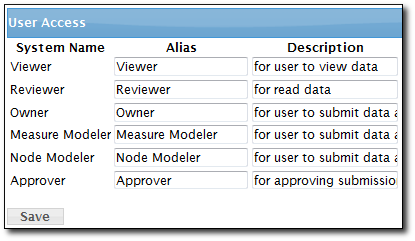
Enter the deployment access alias into the corresponding textbox in the Alias column.
Enter the description for each deployment into the corresponding textbox in the Description column.
Once done, click on the Save button.
See also
| 


 Page URL: