Home > Working with Planning Projects > Building an Application > Advanced Project Functions > Maintenance > Link Maintenance
Link Maintenance
Last Updated 3/6/2012 10:47 PM
Link Maintenance provides a means to run any link or group of links manually.
To access Link Maintenance, navigate to {Project Tab}>Modeling>Maintenance>Link Maintenance
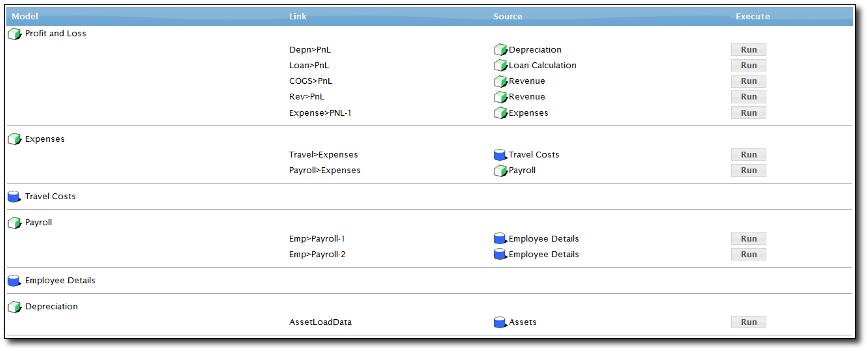
Just select which target model you want to update, select the link name and the source model. Then click the Run button.
This link maintenance will only run the link process, but not doing the recalculation for the target model. So if there's any calculation in the target model, you need to do it by recalculating the cube manually (see Calculate all cubes)
See also
| 


 Page URL: